Wednesday, 29 April 2015
Googd ideas from Twitter: iPad Rules Lock Screens
I love Twitter! I find the best ideas by browsing my hashtags #fslchat and #langchat! If you don't follow those groups, you are missing out! I find great activity ideas, and classroom management ideas-- and more recently tech integration and management ideas. This idea came from the blog:
Technology Erintegration. I am so happy I found this blog! So many great ideas.
In this article, she talks about 5 ways to use iPad backgrounds in the classroom. The idea I loved (being a middle school teacher) is using the lock screen as a rule reminder. The above picture is the lock screen I made for my FSL ipads. Here's a close up of one of the screens:
I have the reminders for proper iPad ettiquette, a note on agreeing with the rules before the students unlock the screen, and in the top corner, a little banner that shows the iPad number of my set.
I struggled with whether or not to put the rules on the screen in French, but I opted for English because I want the students to understand the rules to which they are to agree before using the technology. Also, students should read the TOA (terms of agreement) before anything they click on the internet, so its an opportunity to teach digital citizenship too. I think in the future, I will do a bilingual lock screen, but for now, I thought it would be more useful for my students in my Core classes to have the rules available in English.
This idea was a hit at my school! We are now in the process of creating lock screens for the Learning Commons sets of iPads. Do you think this is a useful idea for your school's tech?
Monday, 20 April 2015
Using Pop Music in FSL Class
![]() |
| Image by Phil Fung from http://www.philfungstudio.com/store/catalog/pop-music/ |
I love Pop Music. It's not the only type of music I love, but it is a pretty great way of learning a language, about a culture and about a generation. I owe some of my French speaking skills, and my Spanish speaking skills to Pop Music. Getting a song or lyric in my head is a great way of learning about pronunciation, and sentences, and um.. rhyming.
So, it can't be surprising that I use a healthy amount of Pop Music in my FSL teaching. I'm specifying Pop Music here as popular music from around la Francophonie-- stuff that French people would listen to on the radio; or buy the CDs of. I do believe there is a place for FSL music created for children learning FSL, but I really love the authentic learning about language and culture that happens when listening to and studying a piece of Pop Music from a different country. So, for the most part, I use Pop Music and not FSL created music in class.
There are a few exceptions: I love Mike Ford's Canadiana Folky Pop Music that is targeted for FSL learners and full of Canadian history that he's researched. But I still consider that Canadian Pop/ Folk music with a cultural focus. Besides, he was in Moxy Fruvous, so he is practically a pop star. (And if you haven't heard his albums Canada Needs You, Vols. 1 & 2, and Seaway you're missing out.) The other exception I make is the stuff I wrote for my students, because that was directly related to their own writing, and more of a product of learning than a tool for learning.
So in order to organize the songs that I have used, and will probably use again in my classes, I created a Google Sheet that lists the songs I've used with their links and notes. It is available here:
As always, please preview any videos before using in your class. One video on my list, Paradis ou Enfer would be inappropriate to watch in its entirety in class. He swears at the end, and flashes the middle finger after 1:23 in the video. Why did I include it? I cropped the video to 1:20 using TubeChop to avoid the inappropriate sections, so our class could have a discussion on Sierra Leone. It has some great visuals about the disparity between the rich and poor in that country. So it was worthwhile to use that video for me. But, you know the rules and culture of your school.
So, how would I use all these songs in class? I use music in a few ways, and I thought I could share a few of those strategies with you!
1. Where was it filmed?/ Où est-ce que l'artiste?
This is a critical thinking activity that I use in class with a music video. It usually takes a full class to complete, as students will need to watch the video more than one time to answer the questions. I have used the video A coup de reves by Ben l'Oncle Soul, and the first 1:20 of Paradis ou Enfer by Kaaris.
- First we read the questions we will have to answer. they are usually: 1. Où est-ce que la location du clip? Pourquoi est-ce que tu penses ça? 2. Quelle est la signification du titre ____?
- I have the students watch the video.
- Then we make a word bank of what we saw in the video.
- I give students a few minutes to gather their thought about the questions. Most will ask to watch the video again.
- Re-watch the video. Students will point out les indices to help answer the questions.
- Then we discuss the questions. We consult maps or other resources to help us find the answer.
My students love figuring this stuff out. Because the whole discussion happens in French, it is an authentic way of getting them to communicate with each other in French, and to build a curious community which is necessary for any inquiry-type activities.
2. Gimmie!/ Donnez-moi!
This strategy can be used with any song, and a video is not necessary. Preparation includes making cards with key words from the song on them, cut out. You need enough sets of cards for the number of groups you have. For younger grades, focus on less words, and older grades use more words.
- Hand out the cards to each group of students.
- Students set the cards out face up between them on a desk or table.
- Play the song. While students listen, the try to grab the words they hear before the other members in their group do.
- Player who got the most words wins.
This is a great activity for introducing new vocabulary, and new words of a song. Sometime, I have the people act out the words they collected to consolidate comprehension. Its a fun activity.
3. Rhymes/ Les rîmes
To activate students prior learning, especially around vocabulary, this is a great warm-up. This can be created in a work sheet, or on a chart paper for students to copy or do orally.
You will need the lyrics posted or copied out for all the students to refer to. When you write them, replace several of the words in the lyrics with fakes. This can be as obvious or sneaky as you would like it to be.
To prepare this activity, you will need to print out the lyrics of the song and cut each line into a strip, and mix them up. You will need strips with lyrics for each group or student.
This activity takes a fair amount of prep. You will either need to find pictures that go with a song, print out or save stills from a video or movie, or draw simple pictures that reflect lines in the song you are using. I usually create a sketchnote for the lines, and use those. You will also need a print out of the lyrics for the students completing the activity.
To activate students prior learning, especially around vocabulary, this is a great warm-up. This can be created in a work sheet, or on a chart paper for students to copy or do orally.
- Write out the lyrics on a page for each student, or on a chart paper, but omit the words at the end of phrases, or in other places. The word that is omitted must rhyme with a word in the previous or next line.
- Before students listen tot he song, have them predict what words will be in the lyrics, by reading the lyrics, and have students fill in the blanks with the words they think are missing.
- Play the songs. In a different color have the students write in the real words.
- Reflect: How many did they get right? Why did they choose the words they did?
You will need the lyrics posted or copied out for all the students to refer to. When you write them, replace several of the words in the lyrics with fakes. This can be as obvious or sneaky as you would like it to be.
- With the students, read the lyrics (with the errors your put in) together. Tell the students that there are some errors in the lyrics. Have them predict which words don't belong.
- Listen to the song. Have the students write down the correct words for discussion after the song is over.
- Discuss which words were wrong. Did the students know they were wrong? How?
To prepare this activity, you will need to print out the lyrics of the song and cut each line into a strip, and mix them up. You will need strips with lyrics for each group or student.
- Give the students the strips, and have them read them in groups. Before playing the song, have them predict how the song will go by placing the strips in certain order. (I take a picture of the order for comparison later in the activity.)
- Play the song. Have the student rearrange the strips as the song plays.
- Compare their prediction to their ordering after they heard the song. How did it change? (Sometimes I ask the students to try and sing their version of the song. It gets pretty funny.)
This activity takes a fair amount of prep. You will either need to find pictures that go with a song, print out or save stills from a video or movie, or draw simple pictures that reflect lines in the song you are using. I usually create a sketchnote for the lines, and use those. You will also need a print out of the lyrics for the students completing the activity.
- Review the lyrics with the students to ensure comprehension.
- Have the students review the images available for matching.
- Listen to the song, and have the student match the images to lines or verses of the song.
- After they have matched them, reflect: why did they choose that image for that line?
Saturday, 11 April 2015
Reflection: World Congress of Modern Languages, 2015
What an event! I think that should be the first line in any review/ reflection of this conference. There were lots of people to meet; many organization and companies to talk with and items to look at; so many workshops it was difficult to choose where to go! In all, I am very happy that I got to attend this conference this year. I thought it would be good to share some of the things that I learned from the amazing workshops I attended.
Roundtable Discussion- March 26
I went to the conference early to register, because I really wanted to hear the roundtable discussion about technology in the L2 classroom. Since tech in FSL is kind of my bailiwick (yep, I just used that word) I knew that there would be some great information to glean from the address. The presentations were moderated by Terry Lamb, and the speakers were Jacques Cool, Sylvia Duckworth and Jim Murphy.
The last speaker, Jacques Cool (www.zecool.com-- wouldn't you love to be a teacher with this last name??! Mine's a fish. Which the kids don't let me forget. Or worse it has the word 'ass' in it. ANYWAYS...) spoke about the responsibility of teachers to innovate in the classroom. What I found most interesting, and something I've been working on in my teaching and learning are the redefinition or addition of the "new competencies" that our students will need to compete and success in our technological world. Students need to know have to explore, create, collaborate, debate, solve problem and so much more in order to use the technology effectively.
I also like that he spoke to student motivations, and how technology helps teachers fulfill those motivations. The 6 motivations he outlined were that students want to 1- do it themselves; 2- do it now; 3- with their friends; 4- for others; 5- for pleasure or 6- for an audience. This was the concept that really resonated with me, as I see those motivations in the actions of my students daily. So for me, the takeaway was how am I going to use the motivations to make my students succeed?
Cool made many more great points in her presentation, and if you would like to read it for yourself, visit his blog at www.zecool.com (in French.) He is also on Twitter, @zecool.
The second speaker was Sylvia Duckworth, who many French Teachers already know through her awesome teacher blog/ French teacher bible and resource E-tools for Language Teacher at www.mmeduckworth.blogspot.com. She spoke about the importance of PLNs or Personal Learning Networks for Teachers. Duckworth noted that technology make wider collaboration between teachers possible. She outlined 6 main hurdles to teacher development 1-no time; 2- need access; 3- need training; 4-need tech support; 5-need confidence; 6- need conviction, to know this development is worthwhile. I appreciated Sylvia's contribution that focused on how teachers need access to this technology too in order to improve their learning. I think we often forget about how beneficial tech is to our own development since we are often focused on our student's learning. She also included a bunch of sketchnotes-- which I appreciate because I love sketchnotes. Generously, her presentation is available at www.bit.ly/sylviaroundtable for download.
First speaker was Jim Murphy of the Center for Distance Learning in Newfoundland. The model for schooling in parts of NFLD are an amazing example of how technology has transformed learning for some students. As many students live in remote parts of NFLD, the CDL provides courses and education, that would otherwise be impossible for students to access. The CDL uses a synchronous learning model, meaning that there are teachers and students that interact in a class online. This was the interesting aspect of the presentation for me. I have done online courses myself, and had contact with my teachers only through messaging and feedback. Students in the synchronous model get to know and form relationships with their teachers despite the distance.
They were all very knowledgeable people, and I was a little stunned afterwards with all the new information to process. It was a great talk. A great kick off!
Workshops: March 27-28
A. Paula Capa- "Speaking Only in French: It Can be Done!"
The first workshop I attended was about working towards French as the only language of communication in the L2 classroom. What I found most helpful was the approach that the speak outlined. That is, that you start with what the students know for a small amount of time, and then build on that time as the year progresses. I found it affirming that so many people have questions about using French as the sole language of class. This presentation also affirmed for me that I was on the right track. In my class I use the "Zone Francais" in which I have a time keeper track our time for speaking French-- and then we try to beat that time the next day.
B. Sylvia Duckworth- "Web 2.0 and Social Media Tools in the French Classroom"
Had to sign up for Sylvia's session on Social Media and Web 2.0 Tools in the classroom. The problem with this session was that 45 minutes was just not enough. Sylvia had so much information and so many great ideas that people left the room wanted to try something new that coming Monday. I know I did! I especially liked how she shared multiple strategies for an application. I new about Voice Thread-- but I had no idea about the potential for VT in the FSL classroom. One other great thing about Sylvia is that she shares so many of her ideas on her blog www.mmeduckworth.blogspot.com. So if you haven't already, check it out. She's also on Twitter @sylviaduckworth.
C. Bev Kukhta-Jackson- "Engaging your Core French Students"
One of my collegues in HWDSB, and a career-long champion of Core FSL, gave a fun presentation on how to engage core French students. There were some really fun ideas like Movie Monday, and using music and other authentic media in French. The crux of her message though-- and one that you could see she followed and felt herself-- was that the teacher needed to enjoy and love what they teach. That is the most engaging thing you can do. She showed a video that she made to futher her own PD, which just further exuded the love she has for her job. She was also elected to the Board on the OMLTA- so a doubly successful day for her!
D. Bill and Hanna- "Go Digital! Supporting FSL with Digial Resources
Bill and Hanna lead the audience through the digital learning platform that is now available to all teachers in public funded schools. The online education platform is an asynchronous learning platform, i think created by Desire2Learn. Students are able to create and curate an online, multi-media portfolio for every subject. Which is a pretty cool concept. This presentation fell short of provide strategies to integrate some of these new technologies into the class. More, Bill and Hanna were the bearer of the bad news-- National Film Board videos won't be available after the summer for school to use. The liscencing was not renewed.
E. Susanna Beatrice-Gojsic and Carole Knezevic- "Let Them Speak! Strategies that Maximize Student Talk Time in the FSL Classroom
Two more of my colleagues in the HWDSB presented this awesome, and helpful presentation, that was packed with strategies on making sure students get the most talk time in FSL class. As always, Susanna and Carole provided fun, engaging and non threatening ways for students to participate in FSL class, and succeed. The strategies they discussed allowed for maximum practice for students of their skills. More, they explained how to implement some of their ideas. Most generously, they provided a link to a wiki https://letstalkinfsl.wikispaces.com Susanna is on Twitter @sgojsic
F. Katy Arnett- Designing Differentiation for FSL Students
Having read Arnett's book, Languages For All, I was looking forward to seeing what new understanding I would leave with. Luckily, Arnett brought tons of ideas and examples of how to integrate almost any student into the FSL classroom. Arnett brought a number of speaking and reading/ writing activities to share, and discussed how, and why they were differentiated. I appreciated the discussions, for me it led to an even deeper understanding of how I could apply some of these techniques and activities I use in class. I felt more confident in my differentiation abilities after listening to this presentation. Dr. Arnett's Twitter: @KatyArnett.
G. Trevor Gulliver- "A Dozen Ways to Use Songs"
I use music in my class almost every day. So learning about ways to use those songs more effectively was something I really looked forward to. Trevor provided literally 12 ways to used songs in class. Some of them were too close to a word cloze activity for my taste, but there were some gems that stood out for me. My favorite ideas were the word snatch activity: students lay out small card of word between them, and as the song plays students grab the word as they hear it. It was fun! The second idea I loved was the rearranging lyrics activity. You cut up the lines of a song, and mix them up. Student have to arrange the lyrics correctly as they hear the song. I immediately thought of other ways to use those same cards-- use them as a prediction activity when student try to arrange them in order before they hear the song. Or as a writing activity where student get to choose a line as a writing prompt for their own lyric. The best ideas for me, launch my brain into new strategies, and this presentation did just that.
H. Stephanie Bass- "iPads and Cell Phones in the FSL Classroom"
Ha! I had to attend my own session. So instead of making a note of how great the info provided was (at least I think it was) I think I will reflect on my delivery, and things I learned about myself from presenting.
- I am too short to stand behind most podiums. The microphone was set up on a podium, and the top of the podium came to my neck. From the front of it, I probably looked like a talking head on top of the podium. So I scrapped the podium, and consequently the mic and stood beside it.
- I make a lot of jokes when I'm nervous. I am pretty sarcastic generally, and when I'm nervous that is amplified. And I was really nervous. And from the laughter of the group, really funny.
- I make strange analogies when I'm nervous. I actually said, "The internet is the Wild West, and you as teachers are the Sheriffs." Yep.
- I have a loud teacher voice. Apparently I can't turn it off.
- I have some really supportive colleagues. They came to listen, and were available if I needed help. They're super.
- People hate completing surveys. They hate 'em. No matter how short. Mine is like 2 questions. Help me out, folks!
- People appreciated that my presentation was available for download to follow at http://bit.ly/OMLTApres. The seating was not great, so I thought to give out the presentation at the beginning for the unfortunate short people in the back. I know their plight. So I will make sure to do that in the future too.
- It is fun to present. It was fun to share what I knew with others.
- My Twitter: @MadameBassHWDSB
Jennifer had a small group-- which was great for me, because I was able to ask as many questions, and make comments. I was looking forward to learning more about QR codes; I use them sometimes in class, but after this presentation I was sure I was going to use them more often. Jennifer offered many ideas and resources to use QR codes to support student learning. She also offered great information that I had never thought of, like, using QR codes can make internet searching for students a little safer, as you have control of which sites students use through the code. The one idea that I am excited to try is the QR code scavenger hunt. I'm in the middle of creating an En route vers la Francophonie hunt for my 7s and 8s. She is also on Twitter @Lisi_JE.
Phew! A long summary of the World Congress of Modern Languages. I also stayed for the closing remarks which featured a great Brazillian band. An upbeat, fun end to a great conference.
If you are interested in more information that people have collected throughout the conference, there is a Twitter Hashtag for the conference #WCML2015, where people were Tweeting soundbites and ideas they learned. I tweeted the ideas I heard in several workshops, and so did many others. People are still using this hashtag to provide follow up information and reflections. So check it out!
What reflections or highlights do you have from the WCML? Feel free to leave them in the comments!
Friday, 27 March 2015
Welcome World Congress of Modern Languages Participants!
This year, I am lucky enough to speak at the OMLTA/CASLT World Congress of Modern Languages. If you are visiting because of my session, Bienvenue! I wanted to post the links to the presentation and resources here so that they are all in one place, and so that they would be easier to find. Voilà!
If you would like to download the presentation from the Conference:
http://bit.ly/OMLTApres
If you would like the resource I mentioned at the end of my presentation:
http://bit.ly/OMLTA2015
To check out my class blog:
http://bass.commons.hwdsb.on.ca/
Learn more about Kahoot!:
http://bonneideefsl.blogspot.ca/2014/10/vlog-how-to-kahoot.html
If you are willing to fill out a quick feedback survey (2 questions), please use the form below:
Monday, 9 March 2015
Les notes visuelles/ Sketchnoting in FSL Part 2
As a sort-of bridging unit, my class and I learned a bit about the value of sketchnoting, and how to start the process. As a class, we found out that sketchnoting is counter to the notetaking we've been taught for most of our education, so we have to learn step-by-step about creating visual notes.
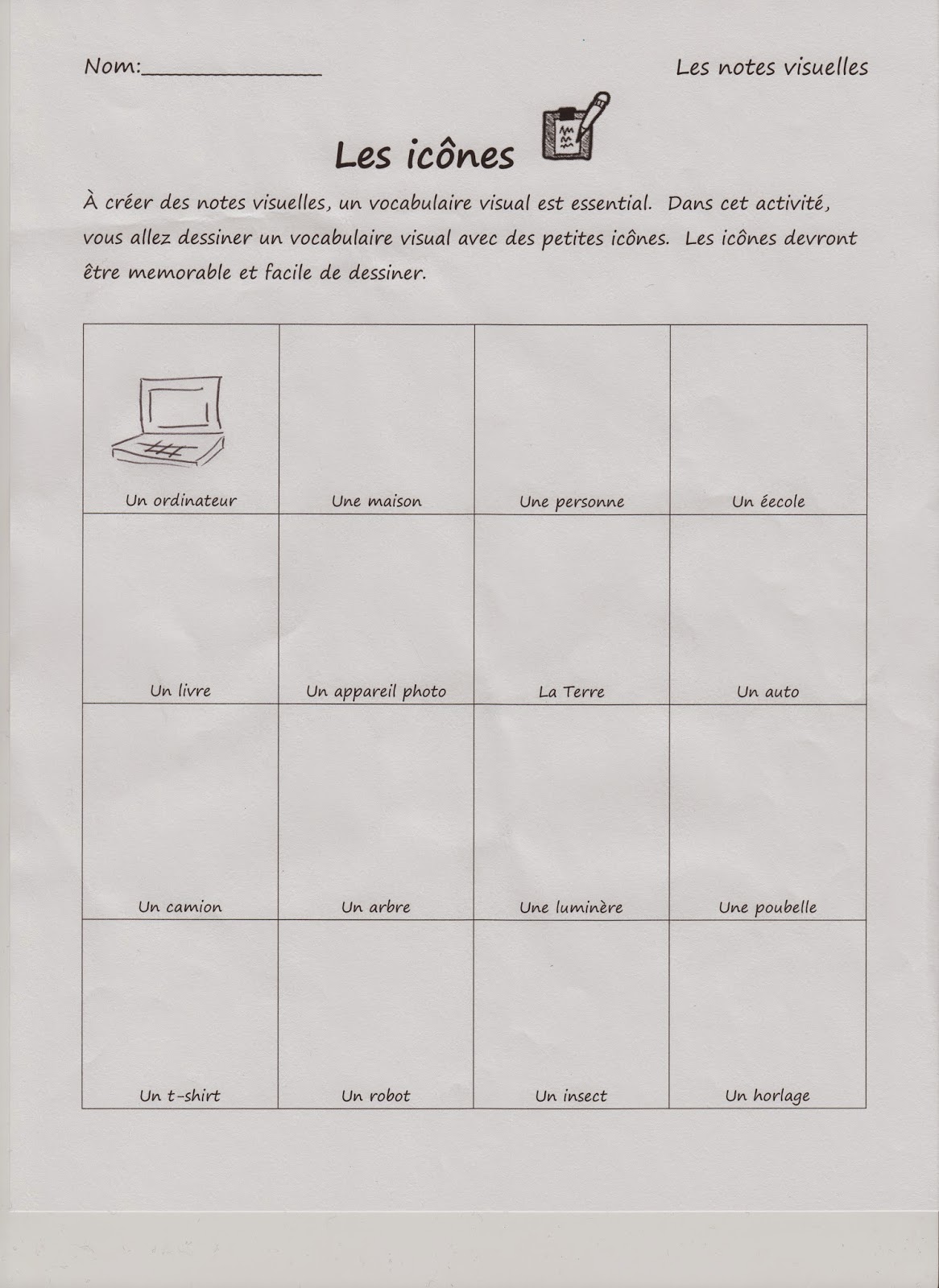
We looked at the major themes in sketchnoting: 5 elements of drawing (les 5 éléments), creating personalized icons (les îcones), containers (les cases), people (les personnes), and structure (la structure). For each section, we had a brief lesson and then a lot of practice using some of the worksheets I created.Here's an example of the worksheet we used to create our personal icons. What we learned is that sketchnoting is about replacing some parts of our written language with a more visual one. In order to be successful at that, you need to have a visual vocabulary ready so that those substitutions can happen almost automatically.
To get us started, we created a visual vocabulary for the words and ideas we thought we would use most often. the goal was to make these icons simple and memorable so that when we heard these specific words, we would recall our icons and use them instead of the words.
To help my students understand what an icon is, and why we would use them, I created a short video for the students to watch about "Les îcones":
Our final activity looked at structure. I think that this is the most difficult part of sketchnoting. In order to choose a structure, one has to recognize the patterns in the speakers presentation. To keep things simple, I taught my students about 7 structures that one can use for any sketchnote without recognizing the structure of the presentation. For this acticity, students had to either retell their day, or choose a story and retell it through a sketchnote. Here is the example I made:
Students were to use all of the elements of sketchnoting that we learned. Now that we have moved onto researching about La Francophonie, my students are using sketchnoting to record some of the information they find. The sidebar we took to explore sketchnoting has been really helpful to my students. I even use it more in my personal notetaking and found it helps me tackle difficult concepts. If you are interested in using some of the worksheets I have made, help yourself!
******************************************************************************
Click on the links below to go to a downloadable PDF of each worksheet:
5 éléments worksheet
Les îcones worksheet
Les cases worksheet
Les personnes worksheet
La structure worksheet
******************************************************************************
Click on the links below to go to a downloadable PDF of each worksheet:
5 éléments worksheet
Les îcones worksheet
Les cases worksheet
Les personnes worksheet
La structure worksheet
Friday, 23 January 2015
Les notes visuelles/ Sketchnoting in FSL
Time flies when report cards are due! I've been trying to keep up with my assessments and marking, and so my blog here has fallen by the wayside for a while. But I'm back, and I excited to write about my newest hook for my French students!
While I was marking my students' work, I noticed a trend (that I did not like at the time:)
My students are doodlers! One part of me was disappointed, because I had these great Oral Communication based classes, that I thought were engaging and fun. Seeing that the students wanted to doodle instead of listen was frustrating. On the other hand, I thought about why my students doodled-- sometimes it helped them focus their listening. For others I think it was because they are more visual learners. So, with this information I wanted to find something that could incorporate art/ drawing into the class in a way that would make their doodling purposeful and effective to their learning.
With research, I found out about Sketchnoting.
I've read about the trend in English speaking classroom using Sketchnoting to help students make notes of things they hear and read. I've always been a visual note taker-- it helps keep me engaged. I didn't know that there was a name for it specifically until I saw Mike Rohde's The Sketchnote Handbook. I bought it, and did some research online, and there were some English literacy teachers that started using it with their students. (Some helpful articles I found on Sketchnoting for Education are here, here and here.) Why couldn't this work for my FSL students? It would be a visual way of taking those dreaded grammar and vocab notes.
While I noticed there were teachers that used Sketchnotes in their lessons, there were not many FSL teachers that did so. So finding some resources to use in FSL class was difficult. But, since I'm a visual learner, and a creative-type, I wanted to make some of my own resources. To introduce the concept to my students, they were to watch the video by Claudine Delfin about Sketchnoting.
Although the video is in English (I couldn't find any French videos), the students got the basics of the purpose and theory behind using visual notes. For our first lesson, we watched the video, and then had a PCP ( Pensez/Couplez/Partagez) discussion about the important points of the video in French. As we shared what we thought were the important points, we created our own "note visuelle" about the video. I created on at the front of the class, and the students were welcome to copy mine, or think of their own imagery to support their points.
As we did the notes, the students were engaged with the discussion and with creating their doodles to support their note. Some of my most challenged students were creating great notes visuelles:
While students were waiting on the next point during discussion, they added details to their doodles, shared them with each other.
The next class, students were asked to review their notes, and share which points we had already covered, so we could continue the note. Many students were able to form simple sentences to convey their points from the class before. More, students commented on how much they enjoyed the process of learning how to make these visual notes. In order to support the students' learning, and maintain French as the language in FSL class, I created a couple of "notes visuelles" in French. I photocopied them, and distributed them to the students. This first handout is based on a page that educator CarolAnne Maguire created in English. I loved it, so I drew a French version (Click link for printable version:
Our first grammar based "note visuelles" was a review about our articles:
The above note I used my iPad to create. For my student that use assistive technology, I was able to teach them how to create their NVs on their devices.
This is an exciting project that my students and I are doing together. As I make more resources, I will post them. And if you start this with your studnets, I would love to know how it goes!
Would you ever try sketchnoting in your FSL class?
While I was marking my students' work, I noticed a trend (that I did not like at the time:)
My students are doodlers! One part of me was disappointed, because I had these great Oral Communication based classes, that I thought were engaging and fun. Seeing that the students wanted to doodle instead of listen was frustrating. On the other hand, I thought about why my students doodled-- sometimes it helped them focus their listening. For others I think it was because they are more visual learners. So, with this information I wanted to find something that could incorporate art/ drawing into the class in a way that would make their doodling purposeful and effective to their learning.
With research, I found out about Sketchnoting.
I've read about the trend in English speaking classroom using Sketchnoting to help students make notes of things they hear and read. I've always been a visual note taker-- it helps keep me engaged. I didn't know that there was a name for it specifically until I saw Mike Rohde's The Sketchnote Handbook. I bought it, and did some research online, and there were some English literacy teachers that started using it with their students. (Some helpful articles I found on Sketchnoting for Education are here, here and here.) Why couldn't this work for my FSL students? It would be a visual way of taking those dreaded grammar and vocab notes.
While I noticed there were teachers that used Sketchnotes in their lessons, there were not many FSL teachers that did so. So finding some resources to use in FSL class was difficult. But, since I'm a visual learner, and a creative-type, I wanted to make some of my own resources. To introduce the concept to my students, they were to watch the video by Claudine Delfin about Sketchnoting.
Although the video is in English (I couldn't find any French videos), the students got the basics of the purpose and theory behind using visual notes. For our first lesson, we watched the video, and then had a PCP ( Pensez/Couplez/Partagez) discussion about the important points of the video in French. As we shared what we thought were the important points, we created our own "note visuelle" about the video. I created on at the front of the class, and the students were welcome to copy mine, or think of their own imagery to support their points.
As we did the notes, the students were engaged with the discussion and with creating their doodles to support their note. Some of my most challenged students were creating great notes visuelles:
While students were waiting on the next point during discussion, they added details to their doodles, shared them with each other.
The next class, students were asked to review their notes, and share which points we had already covered, so we could continue the note. Many students were able to form simple sentences to convey their points from the class before. More, students commented on how much they enjoyed the process of learning how to make these visual notes. In order to support the students' learning, and maintain French as the language in FSL class, I created a couple of "notes visuelles" in French. I photocopied them, and distributed them to the students. This first handout is based on a page that educator CarolAnne Maguire created in English. I loved it, so I drew a French version (Click link for printable version:
Our first grammar based "note visuelles" was a review about our articles:
The above note I used my iPad to create. For my student that use assistive technology, I was able to teach them how to create their NVs on their devices.
This is an exciting project that my students and I are doing together. As I make more resources, I will post them. And if you start this with your studnets, I would love to know how it goes!
Would you ever try sketchnoting in your FSL class?
Monday, 8 December 2014
The Angry Family videos
I know that I already did a post about my YouTube channel, but I wanted to talk about one channel that I subscribe to: The Angry Family!
The Angry Family are a series of FSL videos that follow a group of bizarre characters as they learn to speak French. There are a lot of the videos available on their YouTube channel, or on the website of the creators.
These videos were created by the Newcastle University in England, as part of the Linguacast project that provide multimedia resources for MFL programs. The Angry Family is also available in Spanish and German, Japanese and Chinese. The videos are designed for British schools, however, they are great for teachers who use the CEFR to guide their teaching practice.
Each of the videos covers a topic in FSL study, in an amusing way. The videos also show the situations in which one would use the language. The videos are categorized by grammar rules, vocabulary or phrases. I like the phrases videos as a warm up question for my class. We watch and then add the new question to our conversation time.
![]() |
| The Angry Family (French) YouTube Channel |
The first video is in English to introduce the students to the premise of the series. The introductions of each of the characters is in French with each main character having their own video. The vocabulary is simple, and the dialogue is slow enough for beginners to understand.
A couple of critique I have of the videos are the subtitles at the bottom in English and the English character's names. I want my students to use their strategies instead of look at the translation. I'm working on a quick way to cover the subtitles. As for the character's names, we usually discuss what the character's names would be in French, which is sometimes really funny. So its not a huge problem for me. Other than those two things, I love these vids.
You can get these video by adding their playlists to your own playlists on YouTube, or getting to them from the University site here.
Tuesday, 2 December 2014
My very useful YouTube channel
One thing that I use in my class (a lot) are videos. I find its a good way of starting my class; it gets my students listening and thinking in French, and its fun. I have been collecting the videos I show on my YouTube channel. If you don't have a YouTube channel, I would strongly encourage you to start one! They are great! Any video that you find, and want to use later, you can save it and organize your collection of videos into playlists. There is no limit to the number of playlists or videos you have on your channel, so just add them on.
To get a YouTube channel, all you need is a Google login. If you have a Gmail account, you already have what you need to sign up. Another plus is that any other channels that you subscribe to are in the side bar of your page.
For my video collection my vids are organized by subject or theme for FSL class. Every time I find a new video while I'm surfing online, or a colleague sends me a link to a great video, I throw it into my playlist (depending what its about.)
I also share my YouTube channel with my students. Listening to French videos is great practice. Some of the videos I show are really funny, so the students like to watch them again, or share them with their family. I have a link to my YouTube channel on my class blog.
I love the ability to pull up a video to highlight a point, or introduce a new concept. One of my student's commented that I seemed "to have a video for everything. It's pretty cool." That endorsement works for me.
If you want to have a look at my playlists and videos, my YouTube channel can be found at here.
Monday, 3 November 2014
Kahoot, Part 2: Why I love Kahoot
Here is part 2 of my Kahoot mini-lesson. I think this web-app has some great uses in the class for assessment of, for and as learning. Here's how I use this game in FSL class.
Friday, 31 October 2014
Vlog: How to Kahoot! (Updated with a new idea)
Hi everyone! Here's a short video that I recorded to show you how easy it is to make a and use Kahoot.
Kahoot is a great web-based program to enhance student leaning. I have used it as an assessment tool, and as a review tool. Students really enjoy the game aspect of the activity, and there are a number of tools that educators may find useful. As an assessment tool: I have used Kahoot as an assessment of learning, and as assessment as learning.
Assessment of Learning: Kahoot's quiz game is a great and interactive trivia-style question and answer game. Students sign in, read the question and answer. Because points are awarded, students don't readily share the answers (in my experience). During the game, students get real time feedback about why their answer was right or wrong from you and other students. After the game, Kahoot has an option to download the results of the game into an Excel spreadsheet. The information included on the spreadsheet is the student's name, the number of questions they answered correctly, the number of questions they answered incorrectly, and each response for the questions. This can be printed and saved in your gradebook. As a class, we like to look at the results together and talk about why we answered the way we did. A great tool for enforcing metacognitive strategies.
Assessment as Learning: My students are working on a project in which they create their own Kahoot quizzes for the class. Students must write and assess various questions for their quiz, they must demonstrate understanding by adding pictures or videos for each question, and then they must present the game to the class for them to play. As a group, we assess the efficacy of their quiz as a study tool for our theme using a class-created criteria. From the student generated questions, students practice the material repeatedly, but in different and interesting and engaging ways.
In order to make Kahoot work in your class, each student needs access to a tech device that connects to the internet. I teach intermediate, so many of my students have cell phones, so that's what we use. I have played Kahoot in a computer lab as well, and it was effective.
| My students love playing Kahoot. I can't keep them in their seats. |
How else could Kahoot be used in the FSL classroom?
**********************************************************************************
UPDATE: One of my co-workers had a really great idea about using Kahoot for a listening comprehension quiz using video. I thought the questions was great, so here it is with my response:
Question:
Hi Stephanie,
Thanks for posting this video. I've started using Plickers which is a similar quiz/survey type app. The students really enjoy it and it's been a fun way to do a quick assessment.
What I really like about Kahoot however is the feature of being able to include pictures or even video. From your video it seemed like you are able to display a video before the quiz begins. If that's possible, I'm thinking it could be perfect as an oral comprehension quiz. I can have the students watch a video and then answer a series of questions. Can you let me know if that's possible.
Thanks, DS
Response:
It is possible to do that... But. The video is obscured by the prep information for logging onto kahoot. So the students would really have to listen well. But the video plays over and over until you start the game, so students would get amp,e time to listen and sign on. The only other thing is that the video must be on youtube to add it to the game. So you would have to upload it there if you got it from somewhere else.
Within the game, you can add videos before questions as examples or supports, but, it is still in the early beta of testing, and can be slow, or the video can chunk in and out. I've used video in the game twice and once it was flawless, the other time it kicked some of my students out. The second time I may have used too many videos. So there are a few options to use it for listening comprehension. What I usually do is watch the video outside of Kahoot, and then add clips to support while students are playing. Hope this helps! I'm going to add this discussion onto my blog, because that was a great question! Thanks, DS!
(**These opinions are my own, and Kahoot has not paid me to be their cheerleader. I just really love their program!)
Friday, 17 October 2014
Bonne Idée on Paper.li!
Do you have Twitter? I find Twitter is a great resource for FSL teacher collaboration. I think I should do a post about that. But for now, here are some headlines and tweets that I found and collected!
Tuesday, 14 October 2014
Do you Lino?
Just a quick post today on an online app that I have been using in class. Lino is a virtual post-it board that students and teachers can add to from anywhere (provided there is wifi and a device handy.) Teachers need to create an account for lino, but its free and can link to you google account. (If you don't have a google account, get one! Its free and so many apps and programs can link to it. You don't need 609 names and passwords. )
Lino is a great tool for brainstorming, reflecting and anywhere you would use post it notes. In the above pic, my classes were using it as a reflection tool and exit activity. Since I discourage the use of English in class, students can post their exit ticket in English. Students are encouraged to read other students posts for ideas/ inspiration or to help them create their own reflections.
Lino is great for Inquiry-based activities. Students can create post-it notes on the information they find and post it to the board for others to see. The board updates in real time, so students see what is being posted as it happens. I like to assign colors for each class or group so that I can keep track of who posted what note.
Today we are going to use Lino as a vocabulary collection point for our review on adjectives. Students will be able to add words and pictures to create a living list of adjectives that they can access.
What I really like about Lino is that I can post the boards to our class blog:
![]() |
| This is the blog zoomed out so that you can see the header and the board. You can change the size of the Lino board by changing the size settings in your post. |
Another plus to Lino, is that you do not have to download the app to use the program. It is accessible through the website www.linoit.com. As long as students have a browser on their device, they can add to Lino. The Lino app makes it easier to add to boards, but for creating and editing, I like the online version better. Its more user-friendly and easier to navigate.
A third positive for Lino is that it keeps all your boards together so that you can look at them later.
This is a handy little app to use in class or outside of class. I found that some of my students were adding to the Lino boards outside of class time, which is a plus!
What are some ways that you could use Lino in your class?
Subscribe to:
Posts (Atom)