Friday, 27 March 2015

Welcome World Congress of Modern Languages Participants!


This year, I am lucky enough to speak at the OMLTA/CASLT World Congress of Modern Languages.  If you are visiting because of my session, Bienvenue!  I wanted to post the links to the presentation and resources here so that they are all in one place, and so that they would be easier to find. Voilà!

If you would like to download the presentation from the Conference:
http://bit.ly/OMLTApres

If you would like the resource I mentioned at the end of my presentation:

http://bit.ly/OMLTA2015

To check out my class blog:
http://bass.commons.hwdsb.on.ca/ 

Learn more about Kahoot!:
http://bonneideefsl.blogspot.ca/2014/10/vlog-how-to-kahoot.html


If you are willing to fill out a quick feedback survey (2 questions), please use the form below:

Monday, 9 March 2015

Les notes visuelles/ Sketchnoting in FSL Part 2

As a sort-of bridging unit, my class and I learned a bit about the value of sketchnoting, and how to start the process.  As a class, we found out that sketchnoting is counter to the notetaking we've been taught for most of our education, so we have to learn step-by-step about creating visual notes.


We looked at the major themes in sketchnoting: 5 elements of drawing (les 5 éléments), creating personalized icons (les îcones), containers (les cases), people (les personnes), and structure (la structure). For each section, we had a brief lesson and then a lot of practice using some of the worksheets I created.

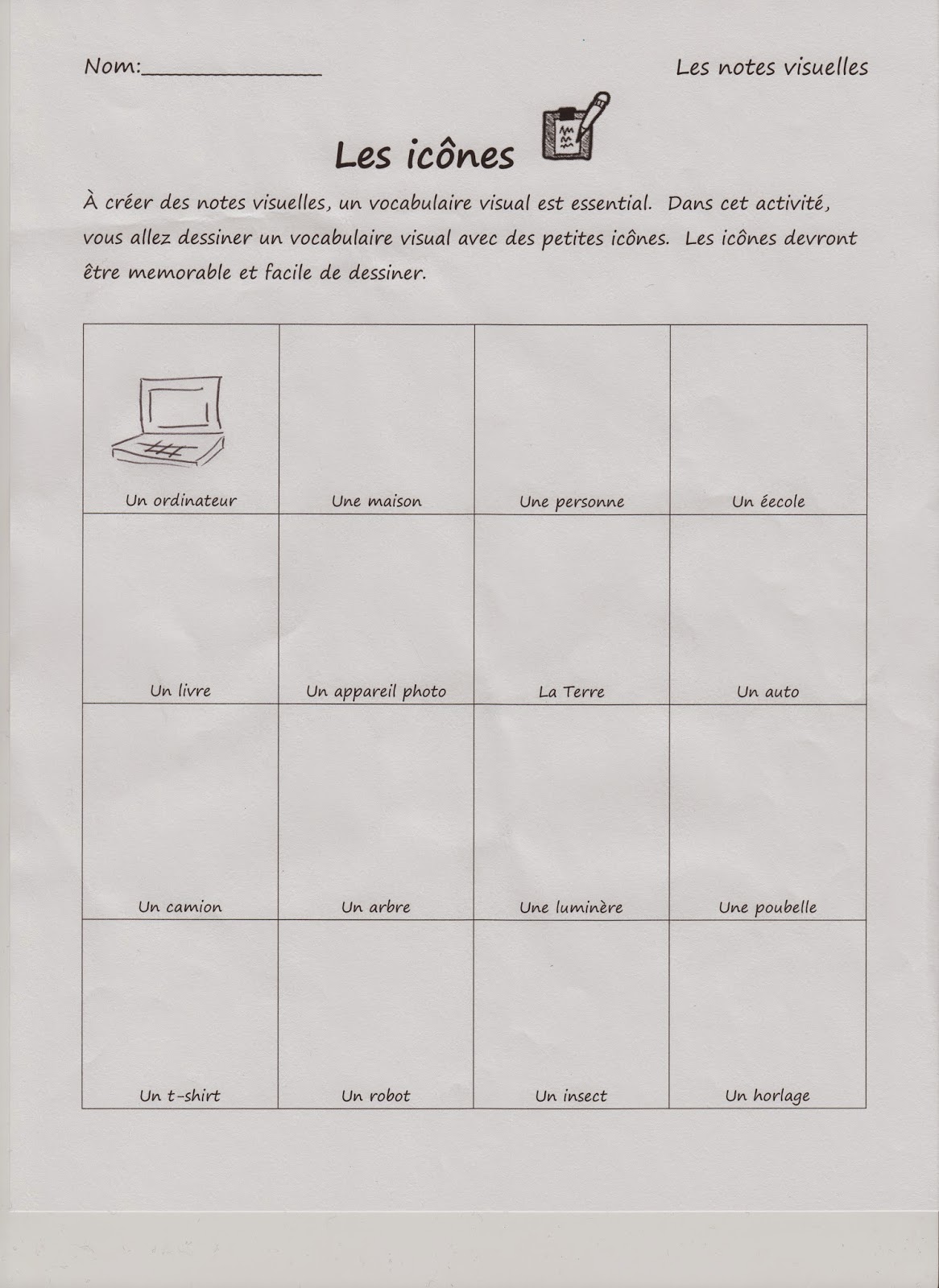
 Here's an example of the worksheet we used to create our personal icons.  What we learned is that sketchnoting is about replacing some parts of our written language with a more visual one.  In order to be successful at that, you need to have a visual vocabulary ready so that those substitutions can happen almost automatically.

To get us started, we created a visual vocabulary for the words and ideas we thought we would use most often.  the goal was to make these icons simple and memorable so that when we heard these specific words, we would recall our icons and use them instead of the words.

To help my students understand what an icon is, and why we would use them, I created a short video for the students to watch about "Les îcones":


Our final activity looked at structure.  I think that this is the most difficult part of sketchnoting.  In order to choose a structure, one has to recognize the patterns in the speakers presentation.  To keep things simple, I taught my students about 7 structures that one can use for any sketchnote without recognizing the structure of the presentation.  For this acticity, students had to either retell their day, or choose a story and retell it through a sketchnote.  Here is the example I made:

 
Students were to use all of the elements of sketchnoting that we learned.   Now that we have moved onto researching about La Francophonie, my students are using sketchnoting to record some of the information they find.  The sidebar we took to explore sketchnoting has been really helpful to my students.  I even use it more in my personal notetaking and found it helps me tackle difficult concepts.  If you are interested in using some of the worksheets I have made, help yourself!

******************************************************************************
Click on the links below to go to a downloadable PDF of each worksheet:


5 éléments worksheet

Les îcones worksheet

Les cases worksheet

Les personnes worksheet

La structure worksheet


Friday, 23 January 2015

Les notes visuelles/ Sketchnoting in FSL

Time flies when report cards are due!  I've been trying to keep up with my assessments and marking, and so my blog here has fallen by the wayside for a while.  But I'm back, and I excited to write about my newest hook for my French students!

While I was marking my students' work, I noticed a trend (that I did not like at the time:)


My students are doodlers!  One part of me was disappointed, because I had these great Oral Communication based classes, that I thought were engaging and fun.  Seeing that the students wanted to doodle instead of listen was frustrating.  On the other hand, I thought about why my students doodled-- sometimes it helped them focus their listening.  For others I think it was because they are more visual learners.  So, with this information I wanted to find something that could incorporate art/ drawing into the class in a way that would make their doodling purposeful and effective to their learning.

With research, I found out about Sketchnoting.

I've read about the trend in English speaking classroom using Sketchnoting to help students make notes of things they hear and read.  I've always been a visual note taker-- it helps keep me engaged.  I didn't know that there was a name for it specifically until I saw Mike Rohde's The Sketchnote Handbook.  I bought it, and did some research online, and there were some English literacy teachers that started using it with their students.  (Some helpful articles I found on Sketchnoting for Education are here, here and here.)  Why couldn't this work for my FSL students?  It would be a visual way of taking those dreaded grammar and vocab notes.

While I noticed there were teachers that used Sketchnotes in their lessons, there were not many FSL teachers that did so.  So finding some resources to use in FSL class was difficult.  But, since I'm a visual learner, and a creative-type, I wanted to make some of my own resources.   To introduce the concept to my students, they were to watch the video by Claudine Delfin about Sketchnoting.


Although the video is in English (I couldn't find any French videos), the students got the basics of the purpose and theory behind using visual notes.  For our first lesson, we watched the video, and then had a PCP ( Pensez/Couplez/Partagez) discussion about the important points of the video in French.  As we shared what we thought were the important points, we created our own "note visuelle" about the video.  I created on at the front of the class, and the students were welcome to copy mine, or think of their own imagery to support their points.

As we did the notes, the students were engaged with the discussion and with creating their doodles to support their note.  Some of my most challenged students were creating great notes visuelles:


While students were waiting on the next point during discussion, they added details to their doodles, shared them with each other.


The next class, students were asked to review their notes, and share which points we had already covered, so we could continue the note.  Many students were able to form simple sentences to convey their points from the class before.  More, students commented on how much they enjoyed the process of learning how to make these visual notes.  In order to support the students' learning, and maintain French as the language in FSL class, I created a couple of "notes visuelles" in French.  I photocopied them, and distributed them to the students.  This first handout is based on a page that educator CarolAnne Maguire created in English.  I loved it, so I drew a  French version (Click link for printable version:


Our first grammar based "note visuelles" was a review about our articles:


The above note I used my iPad to create.  For my student that use assistive technology, I was able to teach them how to create their NVs on their devices. 

This is an exciting project that my students and I are doing together.  As I make more resources, I will post them.  And if you start this with your studnets, I would love to know how it goes!

Would you ever try sketchnoting in your FSL class? 

Monday, 8 December 2014

The Angry Family videos


I know that I already did a post about my YouTube channel, but I wanted to talk about one channel that I subscribe to:  The Angry Family!

The Angry Family are a series of FSL videos that follow a group of bizarre characters as they learn to speak French.  There are a lot of the videos available on their YouTube channel, or on the website of the creators.

These videos were created by the Newcastle University in England, as part of the Linguacast project that provide multimedia resources for MFL programs.  The Angry Family is also available in Spanish and German, Japanese and Chinese.   The videos are designed for British schools, however, they are great for teachers who use the CEFR to guide their teaching practice.

Each of the videos covers a topic in FSL study, in an amusing way.  The videos also show the situations in which one would use the language.   The videos are categorized by grammar rules, vocabulary or phrases.  I like the phrases videos as a warm up question for my class.  We watch and then add the new question to our conversation time.  

The Angry Family (French) YouTube Channel

The first video is in English to introduce the students to the premise of the series.  The introductions of each of the characters is in French with each main character having their own video.  The vocabulary is simple, and the dialogue is slow enough for beginners to understand.

A couple of critique I have of the videos are the subtitles at the bottom in English and the English character's names.  I want my students to use their strategies instead of look at the translation.  I'm working on a quick way to cover the subtitles.  As for the character's names, we usually discuss what the character's names would be in French, which is sometimes really funny.  So its not a huge problem for me.  Other than those two things, I love these vids. 

You can get these video by adding their playlists to your own playlists on YouTube, or getting to them from the University site here.

Tuesday, 2 December 2014

My very useful YouTube channel


One thing that I use in my class (a lot) are videos.  I find its a good way of starting my class; it gets my students listening and thinking in French, and its fun.  I have been collecting the videos I show on my YouTube channel.  If you don't have a YouTube channel, I would strongly encourage you to start one!  They are great!  Any video that you find, and want to use later, you can save it and organize your collection of videos into playlists.  There is no limit to the number of playlists or videos you have on your channel, so just add them on.

To get a YouTube channel, all you need is a Google login.  If you have a Gmail account, you already have what you need to sign up.  Another plus is that any other channels that you subscribe to are in the side bar of your page.

For my video collection my vids are organized by subject or theme for FSL class. Every time I find a new video while I'm surfing online, or a colleague sends me a link to a great video, I throw it into my playlist (depending what its about.)

I also share my YouTube channel with my students.  Listening to French videos is great practice.  Some of the videos I show are really funny, so the students like to watch them again, or share them with their family.  I have a link to my YouTube channel on my class blog.

I love the ability to pull up a video to highlight a point, or introduce a new concept.  One of my student's commented that I seemed "to have a video for everything.  It's pretty cool." That endorsement works for me.

If you want to have a look at my playlists and videos, my YouTube channel can be found at here.

Monday, 3 November 2014

Kahoot, Part 2: Why I love Kahoot


Here is part 2 of my Kahoot mini-lesson.  I think this web-app has some great uses in the class for assessment of, for and as learning.  Here's how I use this game in FSL class.

Friday, 31 October 2014

Vlog: How to Kahoot! (Updated with a new idea)


Hi everyone!  Here's a short video that I recorded to show you how easy it is to make a and use Kahoot.

Kahoot is a great web-based program to enhance student leaning.  I have used it as an assessment tool, and as a review tool.  Students really enjoy the game aspect of the activity, and there are a number of tools that educators may find useful.  As an assessment tool: I have used Kahoot as an assessment of learning, and as assessment as learning.

Assessment of Learning:  Kahoot's quiz game is a great and interactive trivia-style question and answer game.  Students sign in, read the question and answer.  Because points are awarded, students don't readily share the answers (in my experience).  During the game, students get real time feedback about why their answer was right or wrong from you and other students.  After the game, Kahoot has an option to download the results of the game into an Excel spreadsheet.  The information included on the spreadsheet is the student's name, the number of questions they answered correctly, the number of questions they answered incorrectly, and each response for the questions.  This can be printed and saved in your gradebook.  As a class, we like to look at the results together and talk about why we answered the way we did.  A great tool for enforcing metacognitive strategies.

Assessment as Learning:  My students are working on a project in which they create their own Kahoot quizzes for the class.  Students must write and assess various questions for their quiz, they must demonstrate understanding by adding pictures or videos for each question, and then they must present the game to the class for them to play.  As a group, we assess the efficacy of their quiz as a study tool for our theme using a class-created criteria.  From the student generated questions, students practice the material repeatedly, but in different and interesting and engaging ways.  

In order to make Kahoot work in your class, each student needs access to a tech device that connects to the internet.  I teach intermediate, so many of my students have cell phones, so that's what we use.  I have played Kahoot in a computer lab as well, and it was effective.

My students love playing Kahoot.  I can't keep them in their seats.
I really love Kahoot for French class.  The students are engaged, and actively reading and discussing the questions in French.  I hope that you try it. Please tell me if you do!

How else could Kahoot be used in the FSL classroom?

**********************************************************************************

UPDATE: One of my co-workers had a really great idea about using Kahoot for a listening comprehension quiz using video.  I thought the questions was great, so here it is with my response:

Question: 
Hi Stephanie,

Thanks for posting this video. I've started using Plickers which is a similar quiz/survey type app. The students really enjoy it and it's been a fun way to do a quick assessment.

What I really like about Kahoot however is the feature of being able to include pictures or even video. From your video it seemed like you are able to display a video before the quiz begins. If that's possible, I'm thinking it could be perfect as an oral comprehension quiz. I can have the students watch a video and then answer a series of questions. Can you let me know if that's possible.

Thanks, DS

  
Response:
It is possible to do that... But. The video is obscured by the prep information for logging onto kahoot. So the students would really have to listen well. But the video plays over and over until you start the game, so students would get amp,e time to listen and sign on. The only other thing is that the video must be on youtube to add it to the game. So you would have to upload it there if you got it from somewhere else.

Within the game, you can add videos before questions as examples or supports, but, it is still in the early beta of testing, and can be slow, or the video can chunk in and out. I've used video in the game twice and once it was flawless, the other time it kicked some of my students out. The second time I may have used too many videos. So there are a few options to use it for listening comprehension. What I usually do is watch the video outside of Kahoot, and then add clips to support while students are playing. Hope this helps! I'm going to add this discussion onto my blog, because that was a great question! Thanks,
DS! 


(**These opinions are my own, and Kahoot has not paid me to be their cheerleader.  I just really love their program!)

Friday, 17 October 2014

Bonne Idée on Paper.li!

Do you have Twitter? I find Twitter is a great resource for FSL teacher collaboration. I think I should do a post about that. But for now, here are some headlines and tweets that I found and collected!

Tuesday, 14 October 2014

Do you Lino?


Just a quick post today on an online app that I have been using in class.  Lino is a virtual post-it board that students and teachers can add to from anywhere (provided there is wifi and a device handy.)  Teachers need to create an account for lino, but its free and can link to you google account.  (If you don't have a google account, get one!  Its free and so many apps and programs can link to it.  You don't need 609 names and passwords. )

Lino is a great tool for brainstorming, reflecting and anywhere you would use post it notes.  In the above pic, my classes were using it as a reflection tool and exit activity.  Since I discourage the use of English in class, students can post their exit ticket in English.  Students are encouraged to read other students posts for ideas/ inspiration or to help them create their own reflections.

Lino is great for Inquiry-based activities.  Students can create post-it notes on the information they find and post it to the board for others to see.  The board updates in real time, so students see what is being posted as it happens.  I like to assign colors for each class or group so that I can keep track of who posted what note.


Today we are going to use Lino as a vocabulary collection point for our review on adjectives.  Students will be able to add words and pictures to create a living list of adjectives that they can access.

What I really like about Lino is that I can post the boards to our class blog:

This is the blog zoomed out so that you can see the header and the board.  You can change the size of the Lino board by changing the size settings in your post.
Students then only have to access the class blog to post their notes.  You can embed the lino screen only any website, Lino provides the codes for you to do so.  You can also hotlink to your boards, so if you use Twitter or another messaging platform to communicate with you students, you can add the link there for students to access the Lino boards. Pro-tip: make sure that you set the publicity setting to public, otherwise it will not show the board.  Another pointer, if you are using a mobile device the board will prompt you to download the app, but it is not necessary.  Just click the small "close" x in the top right corner and to will take you right to the board.

Another plus to Lino, is that you do not have to download the app to use the program.  It is accessible through the website www.linoit.com.  As long as students have a browser on their device, they can add to Lino.  The Lino app makes it easier to add to boards, but for creating and editing, I like the online version better.  Its more user-friendly and easier to navigate.

A third positive for Lino is that it keeps all your boards together so that you can look at them later.

This is a handy little app to use in class or outside of class.  I found that some of my students were adding to the Lino boards outside of class time, which is a plus!

What are some ways that you could use Lino in your class?


Tuesday, 16 September 2014

La rentrée: Sur mon iPhone

I was thinking of different activities I could use to get to know my students at my new school.  Instead of having them write a paragraph about them, I wanted something they could do a little more independently, and something that was creative.  After seeing a technology-themed bulletin board idea, I thought of this activity:


Students get a blank iPhone template, and they have to create icons of things that they like.  For my example, I drew a "creeper" from Minecraft and labelled it "les jeux vidéo." The students had to draw 12 icons, and I hope to use the iPhones in a display outside the French office.

*********************************************************************************

If you are interested in doing this activity yourself, here's the handout (link) I made.  There are 2 phones per page, trying to save some trees.

Thursday, 21 August 2014

La rentrée: Ice Breaker- Name Bingo

I've been preparing for the new school year.  I am looking forward to getting back into it, although I will miss my afternoon naps! 

This week I've been focusing on what my class will do for the first few days of school.  I love playing ice breaker with new students because they are fun, and they are an assessment opportunity to see what the students remember.  One game I like a lot is Name Bingo. 


In this game, students get a game board and they have to walk around and get other students to sign the box that describes them.  At the end of the game, you can choose a few to read out and see which students correspond to the descriptions.   I quickly typed up a game board that you can feel free to use in class.  I wrote this for my grade 7s and 8s, so you can make it easier or more challenging to suit your needs.  

If you would like to use this board, download it here.  Enjoy!


Saturday, 2 August 2014

À la carte: Anchor Chart Binder and Online Notebooks

This next school year, I will officially be on a cart, traveling from class to class to teach FSL. I say officially, because I was pretty much on a cart this year, even though I did have access to a FSL classroom.  Most of the time, I chose to teach the students in their homerooms.  

So, I am already used to being the "traveling show" when it come to teaching.  Over the past year, I was looking for ways to make my traveling easier for my students.  Any FSL teacher knows that there are many benefits of having a dedicated space for teaching French.  I want to be able to provide some one those benefits, even though I move from place to place.  

The biggest challenge for me was finding space to keep the anchor charts that I made visible for my students.  I have 2 ways that I do this: the first is heavily tech based, and the second is my Anchor Chart Binder.  

Anchor Chart Binder


On my cart, I have two front cubbies on the bottom, and in there I keep a binder that hold every anchor chart I make.  During class, I have the student designated as the class reporter for the week, take a picture of the anchor charts that we make/ use.  Then the pictures are uploaded to Google Drive, or emailed to me, and I print to to add to the binder.  


This is an example from one of my grade 4 classes.  We were learning our learning goals and success criteria, and so the class reporter took a picture of the chart.  The binder itself is organized into sections: verbes, vocabulaire, and unités (with the title of the unit able to be written in erasable marker on the tab.)  

The students were really good about getting and using the binder if they needed to review an anchor chart for some reason.  This binder was especially usuful for students that were away, and needed to catch up.  I could also photocopy certain charts for students to have access to with their notes or for activities in which I needed to differentiate for some students.

Notes on Google Drive


When we started to implement the use of iPads into our classes, I moved away from the binder to an online binder of sorts. I still had a class reporter, but now instead of printing, I uploaded the charts to a shared drive so students could access the charts and other notes from anywhere.  

Students can access the online notebook from my class blog, but I also created a shortened link so that students can memorize the link easily.  (create a shortened link through services such as bit.ly or Google URL shortener.) Once in the shared drive, they can browse and download the notes that they need on their device.  I hope to cut down on the amount of paper we use. (I have a secret quest to become paperless.  More on that another time though.)  More, I want the students to be able to access the information they need anytime and anyplace.  


Through my school board, students have their own Google Drive space where they can download the notes they want to keep to their own drive.  Ideally, students would download the notes as we use them to their own drive to pull up in class etc.  

Pluses for using Google Drive are that the app is really user friendly.  My grade 4s and 5s last year were experts at navigating the classes shared Drive and uploading their projects and pictures to it.  It was a great tool because we had to used shared computers and iPads.  Students did not need to store anything on the devices and they had access to the projects and notes for homework or to work on when they finished other work.   More than this though, using services like Google drive are great inter-subject learning.  And knowing how to use cloud storage services is a crucial skill for our students as they grow and education become further and further entrenched in the technology that is readily available to us.  It was really exciting to see the students use the technology in FSL.  They knew that it was important, and it was engaging.  They know that they need these skills, and more they want to learn these skills. 

Having set up my binder and Google Drive for my students this upcoming year, I am looking forward to being "à la carte."  I will get to keep my online resources up to date, and hopefully it will become an integral resource for my students.

How do you manage sharing information to your students without a dedicated class space? Have you thought about going paperless?